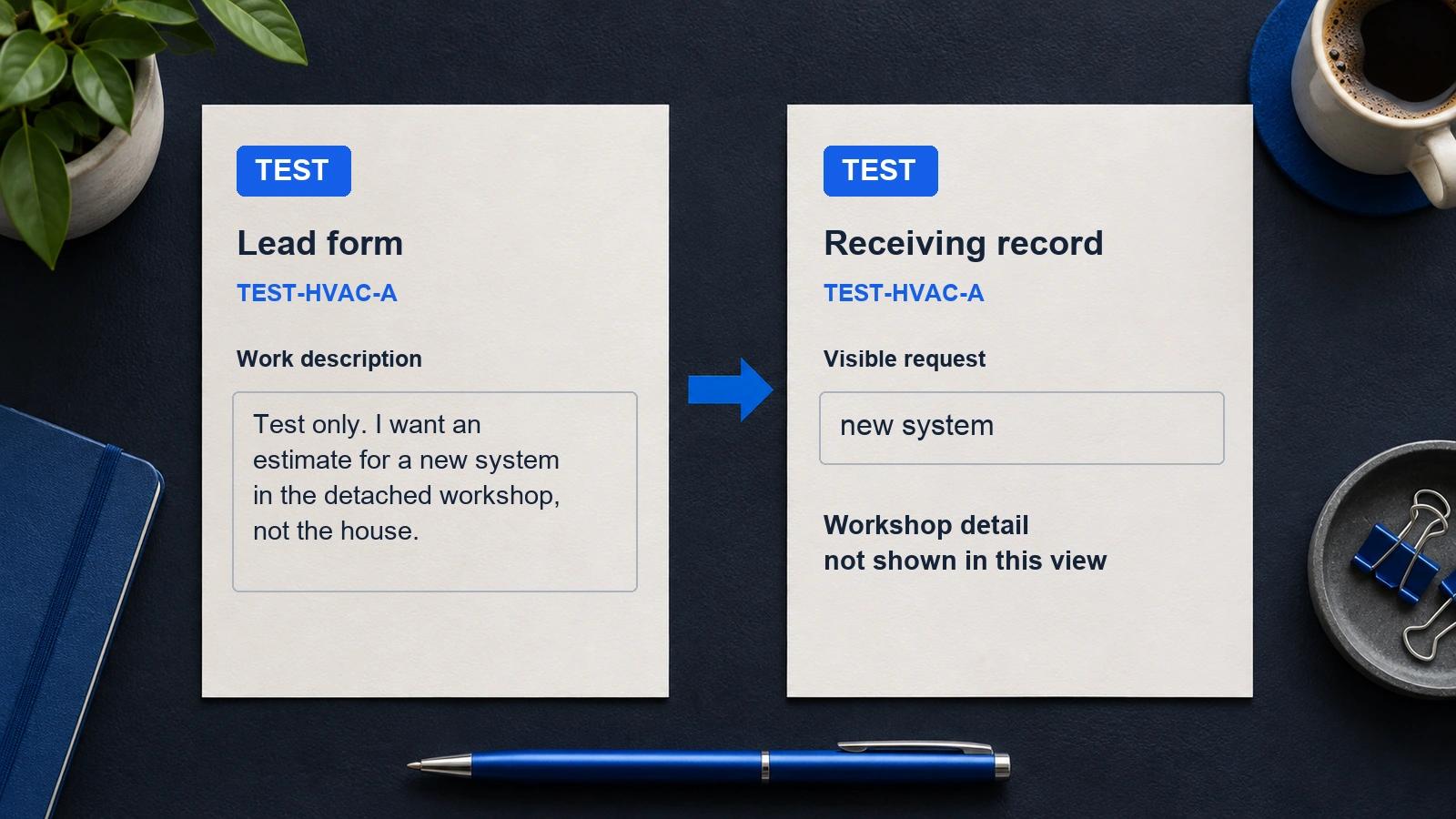
Before real inquiries arrive, agree on a contractor lead form test with your provider. Use clearly marked test details, trace the request to its intended destination and check who owns the next step. A thank-you screen alone does not show what reached the receiving team.
You do not need a real homeowner to rehearse that path. You need an agreed test, a person responsible for watching it and a record of what you expected to happen. This guide gives you a suggested worksheet, not a claim that any provider has passed it.
Set the boundaries of the contractor lead form test
Ask your provider where to run the test and which connected actions it may trigger. Agree on the receiving inbox or system, the people observing and how the test will be kept out of real appointment and performance totals.
Use contact details controlled by the people taking part. Do not enter a made-up phone number or a stranger's address. A fictional project description can still reach a real person if the contact details belong to them.
Before submitting, settle these questions:
- Is this a separate test environment or the actual intake form?
- Which messages, calls, bookings or other actions could it start?
- Which of those actions are approved for this test, and who receives them?
- How will everyone recognize the test record?
- Who stops the exercise if it reaches the wrong destination?
If the provider cannot explain the destination or isolate the approved actions, leave the submission unrun. Ask for a controlled demonstration first. Do not use a test as permission to contact customers or create a live estimate booking.
Write the expected result before you submit
Give the exercise a clear reference, such as TEST-HVAC-A. Ask the provider how that reference can be carried through its supported test path. Do not assume the form has a field for it.
Write down the request exactly as you plan to enter it. Then fill in the expected result column before anyone submits anything.
| Check | Expected result agreed before the test | What to record afterward |
|---|---|---|
| Form response | The response the provider says the tester should see | Actual response and time |
| Saved request | The entered work description in the agreed record | Record reference and any changed or missing wording |
| Receiving team | The named person or team that should receive the test | Where it arrived, when and who checked it |
| Next step | The agreed action, such as reviewing the test record | What happened and what remains unverified |
| Test treatment | The agreed way to exclude it from real activity totals | Where the test is marked and who checked the exclusion |
Keep “not observed” separate from “failed.” If the person checking an inbox has not looked yet, you do not have evidence that delivery failed. Record the missing check and its owner instead of guessing.
Work through a missing project detail
This is a fictional test exercise, not a customer record or a ServiceConsulting result. It assumes the provider has approved a controlled test that creates a record but sends no customer message and books no visit.
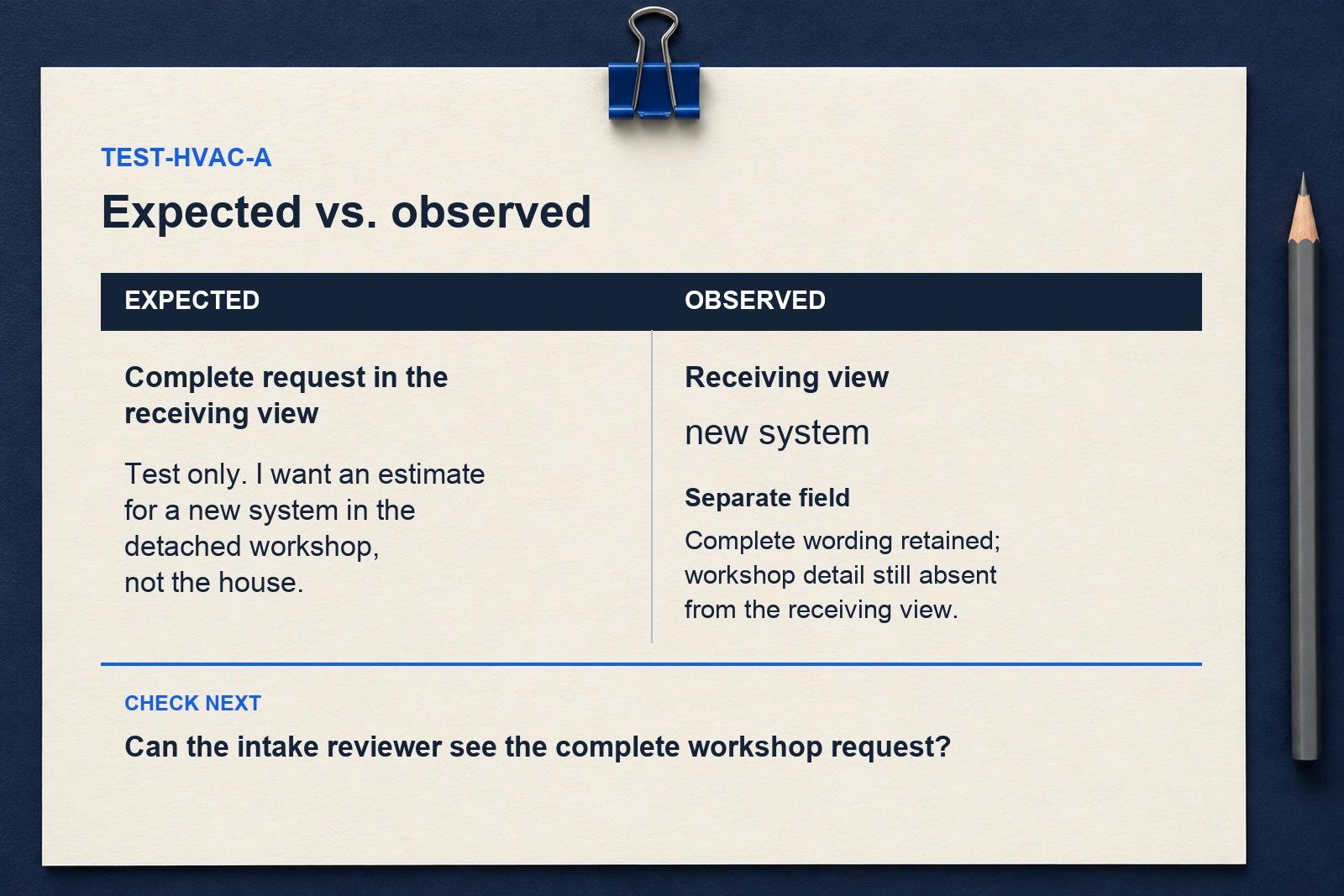
The entered request says: “Test only. I want an estimate for a new system in the detached workshop, not the house.” The expected destination is the agreed test queue, where the intake reviewer can see the complete request.
| Observation | What it establishes | What to check next |
|---|---|---|
| The form displays its completion screen | The tester reached that screen | Find the saved record; do not infer delivery from the screen |
| The saved record says only “new system” | The visible record lacks the workshop detail | Check whether the full wording exists elsewhere or was lost |
| The reviewer finds the complete wording in a separate field | The detail is retained in that field | Check whether the normal receiving view exposes it |
| The normal view still shows only “new system” | The receiving view does not show the detail needed for this test | Assign the display or handoff problem to its owner before accepting the path |
The exercise checks whether the request survives the journey. It does not establish that a workshop project fits a particular contractor or provider. That is a separate scope decision. Use the HVAC replacement lead questions when reviewing which work a provider accepts.
Repair the specific gap, then repeat the agreed check
Keep the first test record and its observations available in the agreed system. Name the missing detail or wrong destination, who will fix it and what observation would show that the fix worked.
For the fictional example, the acceptance check is concrete: the intended reviewer can find the complete workshop request in the view used for intake. “The form works” is too broad to describe that result.
Agree on a new test reference before repeating the exercise. Keep the results connected so the team can distinguish the first attempt from the repair check. Do not keep submitting while an unexpected message or booking is unresolved.
Afterward, have the responsible person confirm how test records are marked or removed under the agreed procedure. Check the relevant reports rather than assuming a test label automatically excludes a row. The contractor lead reporting guide explains why inquiries, bookings and visits need separate records and totals.
Finish with a clear decision
A successful rehearsal establishes what you observed for that test, on that path, at that time. It does not prove future delivery, homeowner intent, attendance or results.
Leave the exercise with a short decision: the agreed checks passed, a named defect needs repair, or an observation is still missing. Keep that decision beside the worksheet and the test reference.
Before accepting real intake, complete one contractor lead form test worksheet with your provider. Agree on the destinations and approved actions first, then compare the actual record with the request you entered.